How to delete a consult?
You can delete a consult from your patient list at any time. If you delete one by mistake, there is a short undo window, and deleted consults can also be restored from Settings until your data retention period ends.
You can delete a consult from your patient list at any time. If you delete one by mistake, there is a short undo window, and deleted consults can also be restored from Settings until your data retention period ends.
Deleting a consult
- Hover over the consult in your patient list to reveal the delete icon.
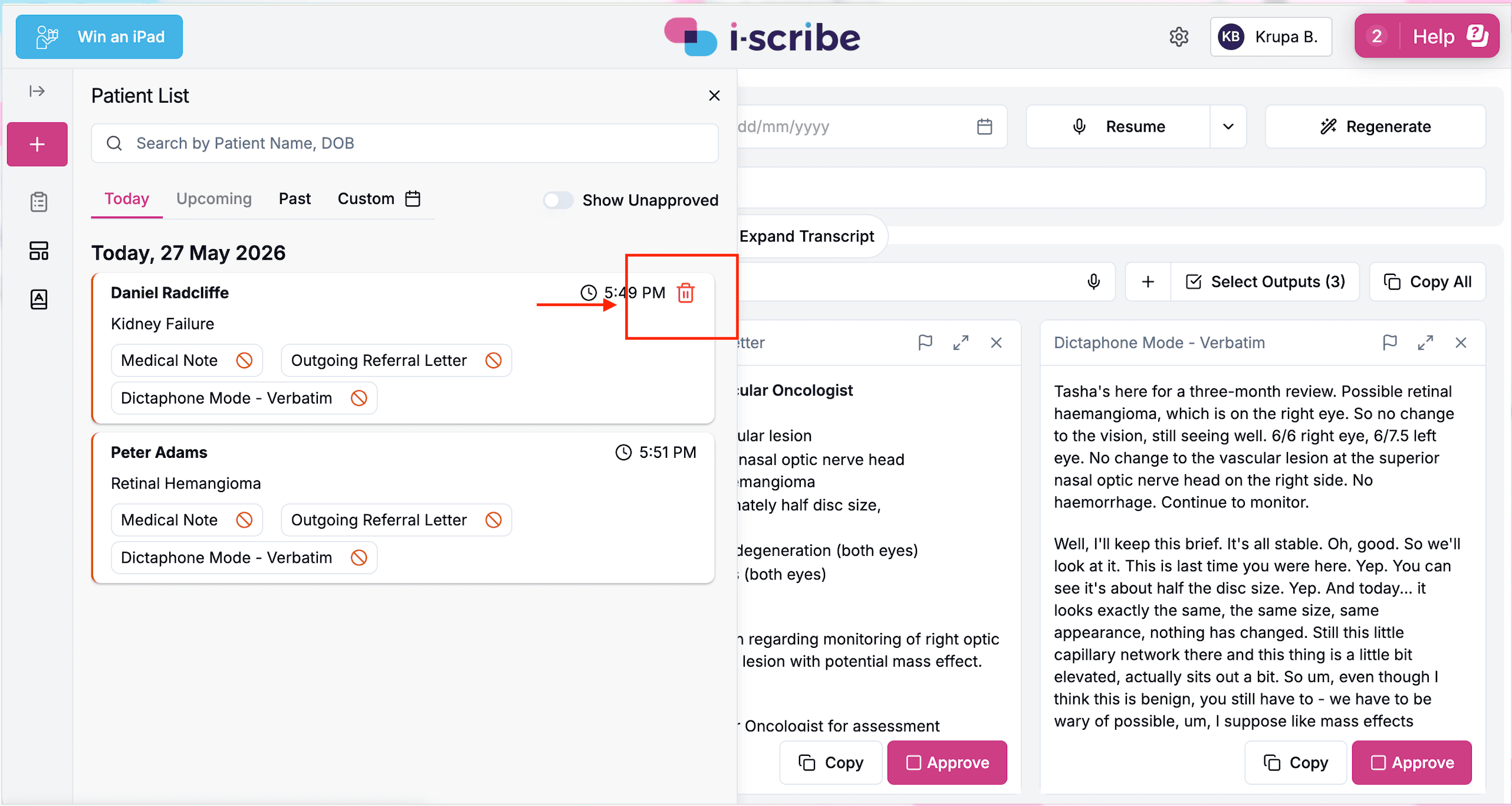
- Click the trash can icon.
- A short undo prompt appears for 5 seconds. Click it if you change your mind, otherwise the consult is removed from your patient list once the window closes.
Restoring a deleted consult
If you miss the 5 second undo window, you can still restore the consult from the Deleted Consults section.
- Click the Settings icon in the top right corner.
- Select Deleted Consults.
- Find the consult in the list and click the Restore icon.
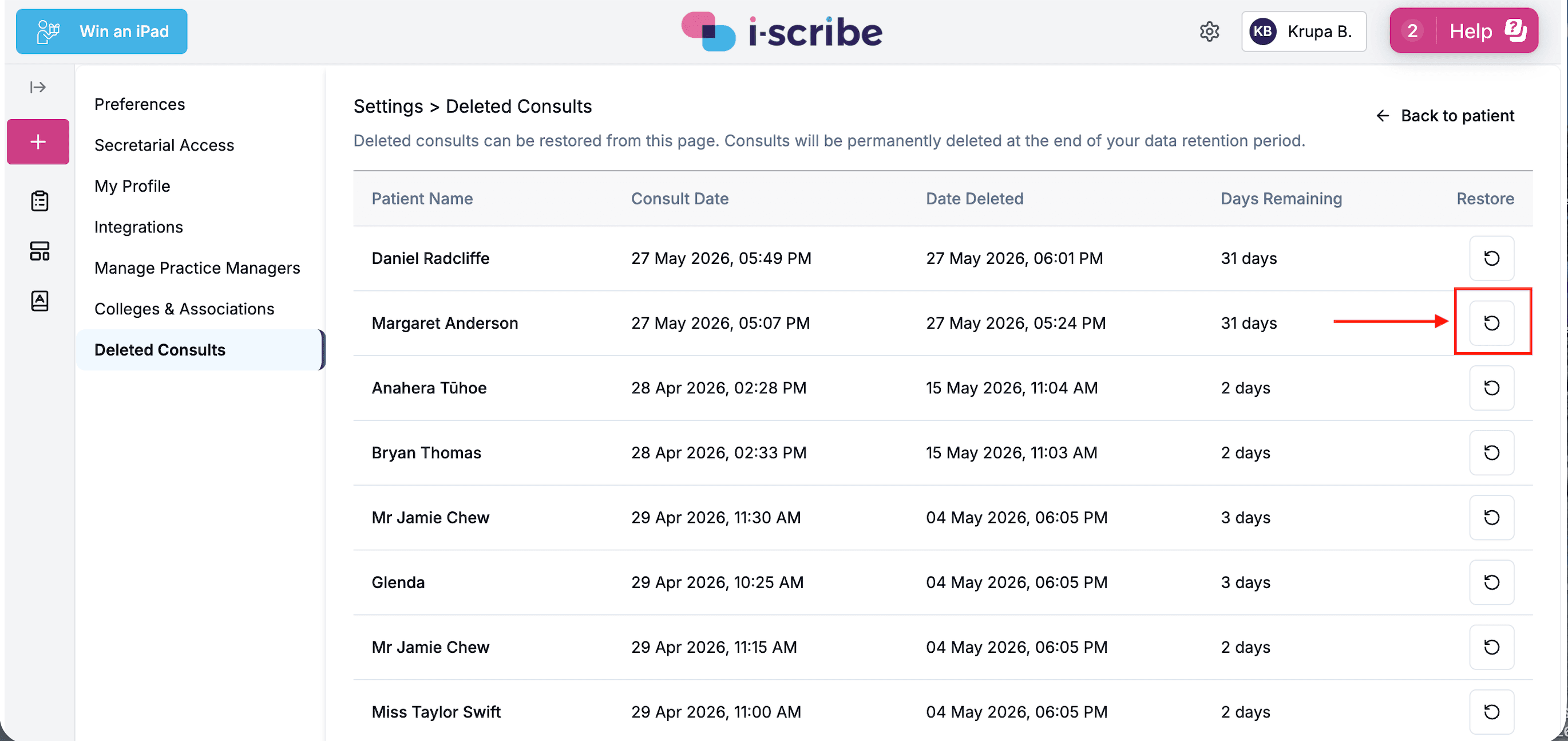
Deleted consults remain in this list until your data retention period ends, after which they are permanently removed and can no longer be restored. The Days Remaining column shows how long you have left to restore each one.
Restoring a consult returns it to your patient list at its original consult date and time.
Was this guide helpful?