How to give a secretary Admin Access
Admin Access lets a secretary add and remove other secretarial staff on your account. Here's how to turn it on.
Admin Access lets a secretary add and remove other secretarial staff on your account, so you don't have to manage the list yourself. Follow these steps from your clinician view.
1
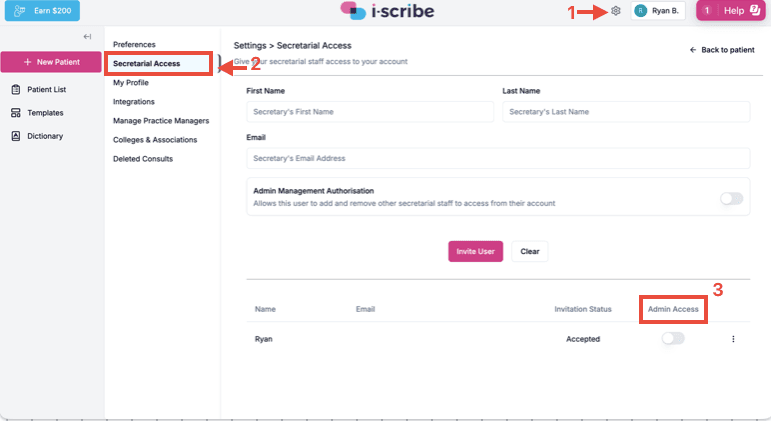
Open Settings using the gear icon in the top right (marked 1 below).
2
Select Secretarial Access from the settings menu (marked 2).
3
In the list of secretaries at the bottom, turn on the Admin Access toggle next to the secretary you want to grant access to (marked 3).
That secretary can now add and remove other secretarial staff from their own account.
You can turn Admin Access off again at any time by switching the same toggle back off.
Was this guide helpful?