How to use i-scribe telehealth mode
Microsoft Windows users can either share their "Chrome Tab" or the entire screen.
Step 1:
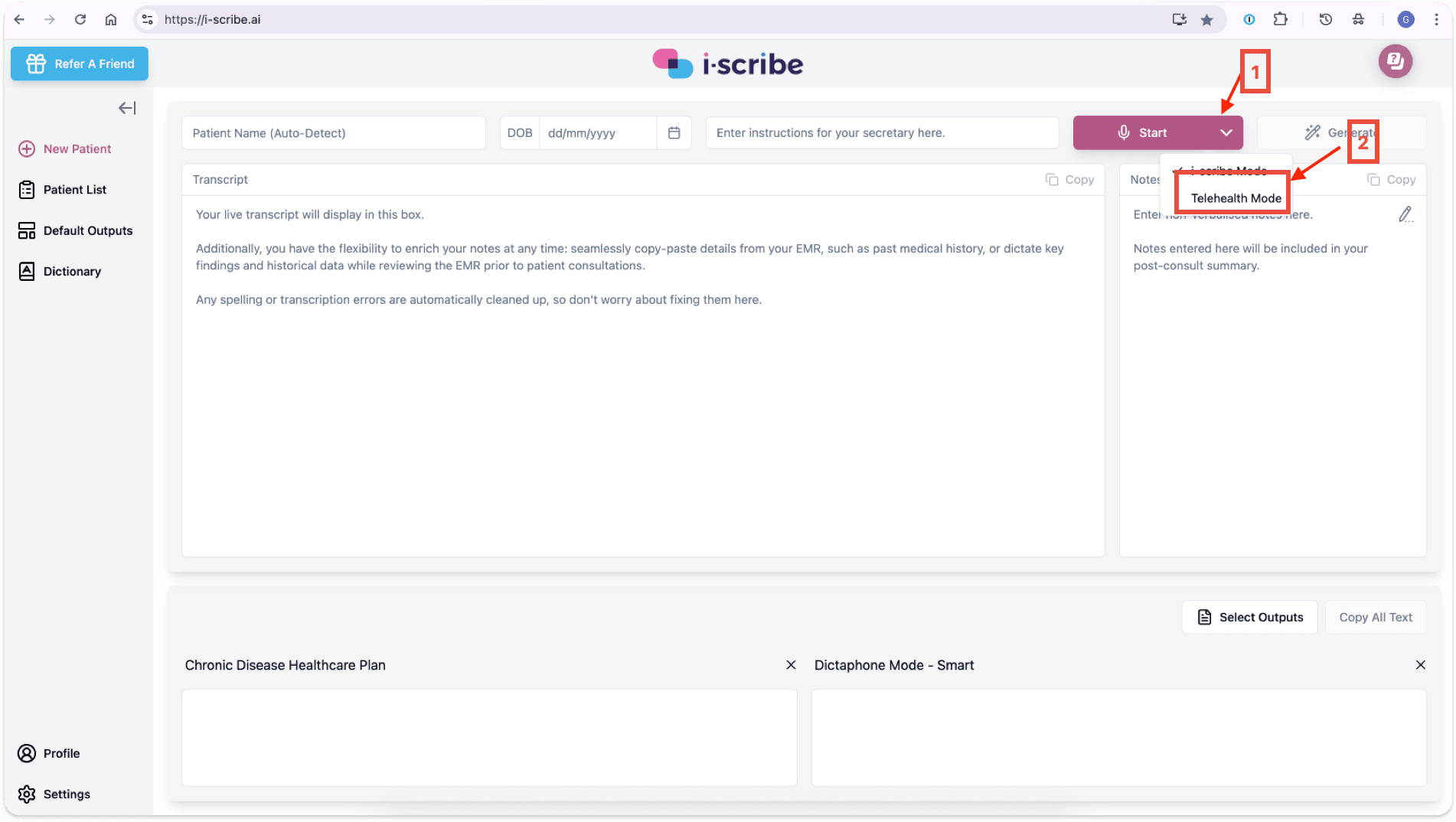
- Open Google Chrome and log into i-scribe
- Click the dropdown menu (arrow 1 \- below)
- Click "Telehealth Mode" (arrow 2 \- below)
Step 2:
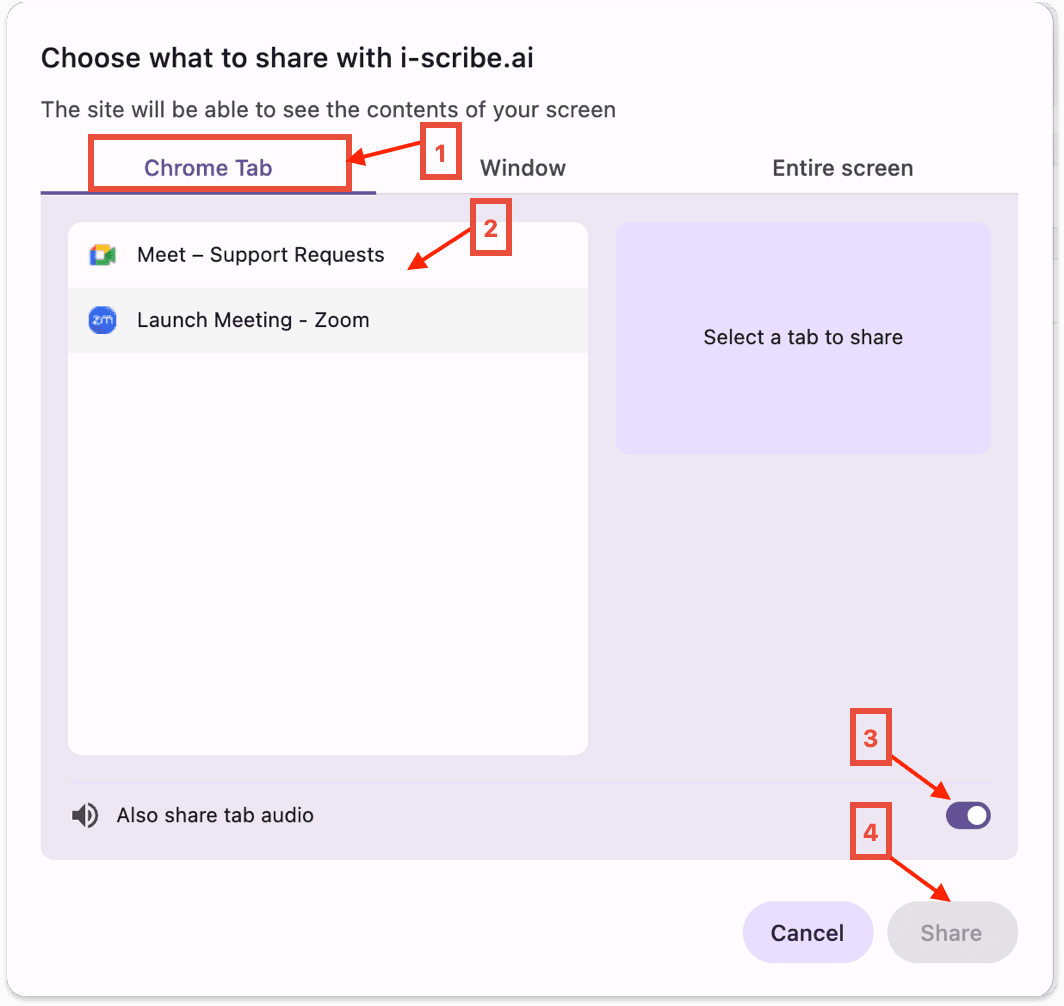
- From the window below (see image below)
- Initially, "Chrome Tab" should be automatically selected (arrow 1 \- below)
- Click the tab that contains your telehealth consult (e.g. Coviu, Zoom or other)
- (box 2 - below)
- Confirm the toggle is turned to on (arrow 3 - below)
- Click share (arrow 4 \- below)
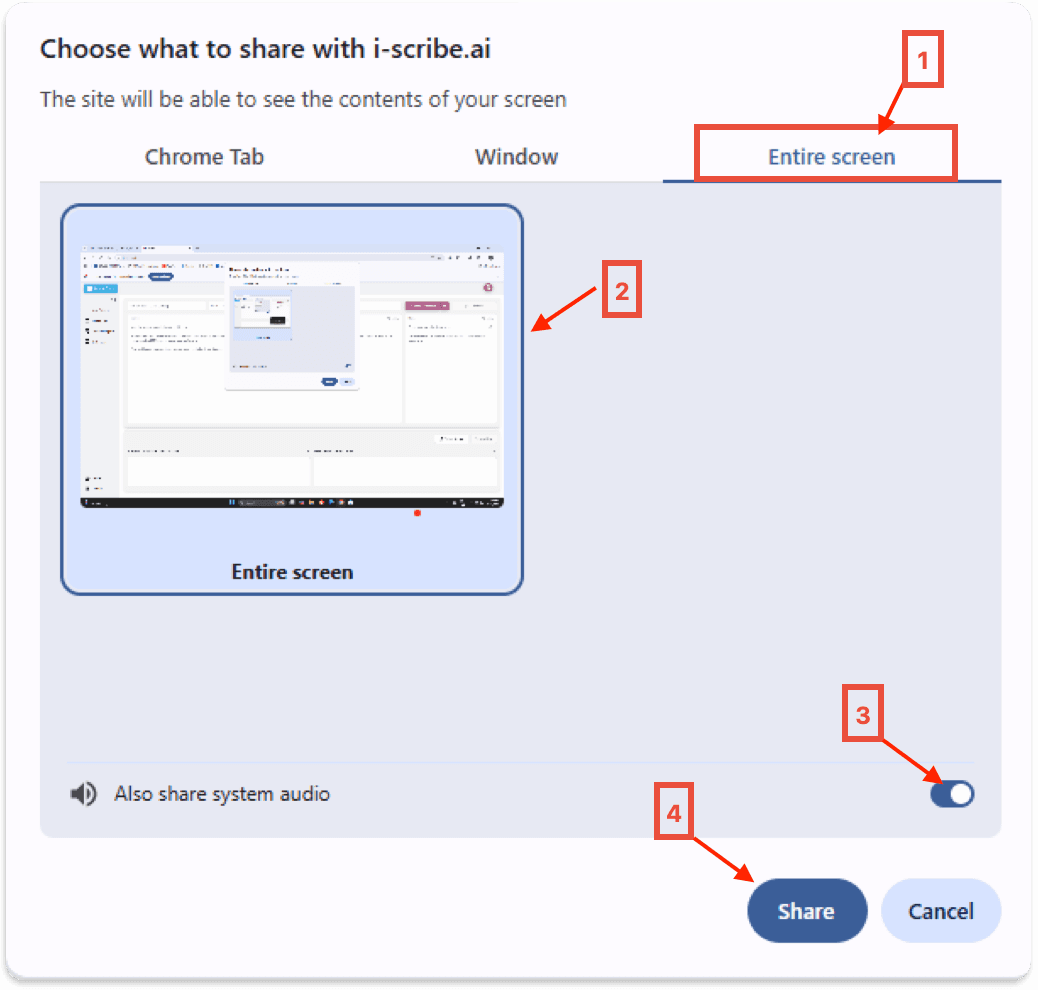
- Note: if the consult is conducted using an installed desktop application (i.e. that is not an internet browser) you can share the "Entire screen" option (arrow5 \- below).
Microsoft Windows users can either share their "Chrome Tab" or the entire screen.
Was this guide helpful?