Customising your outputs
Out of the box, i-scribe comes with a set of smart, ready-to-use outputs.
What's possible, with a worked example
Out of the box, i-scribe comes with a set of smart, ready-to-use outputs.
These outputs can be customised to suit different needs, including making i-scribe match your overall style and tone.
The types of customisations that are possible include:
- Changing (and moving) headings
- Changing between bullet points or prose
- Adding more detail (or making sections more concise)
- Capturing your overall style, structure, and tone
- Creating brand new outputs
Case study. A physician used i-scribe to generate medical notes. Here is an example:
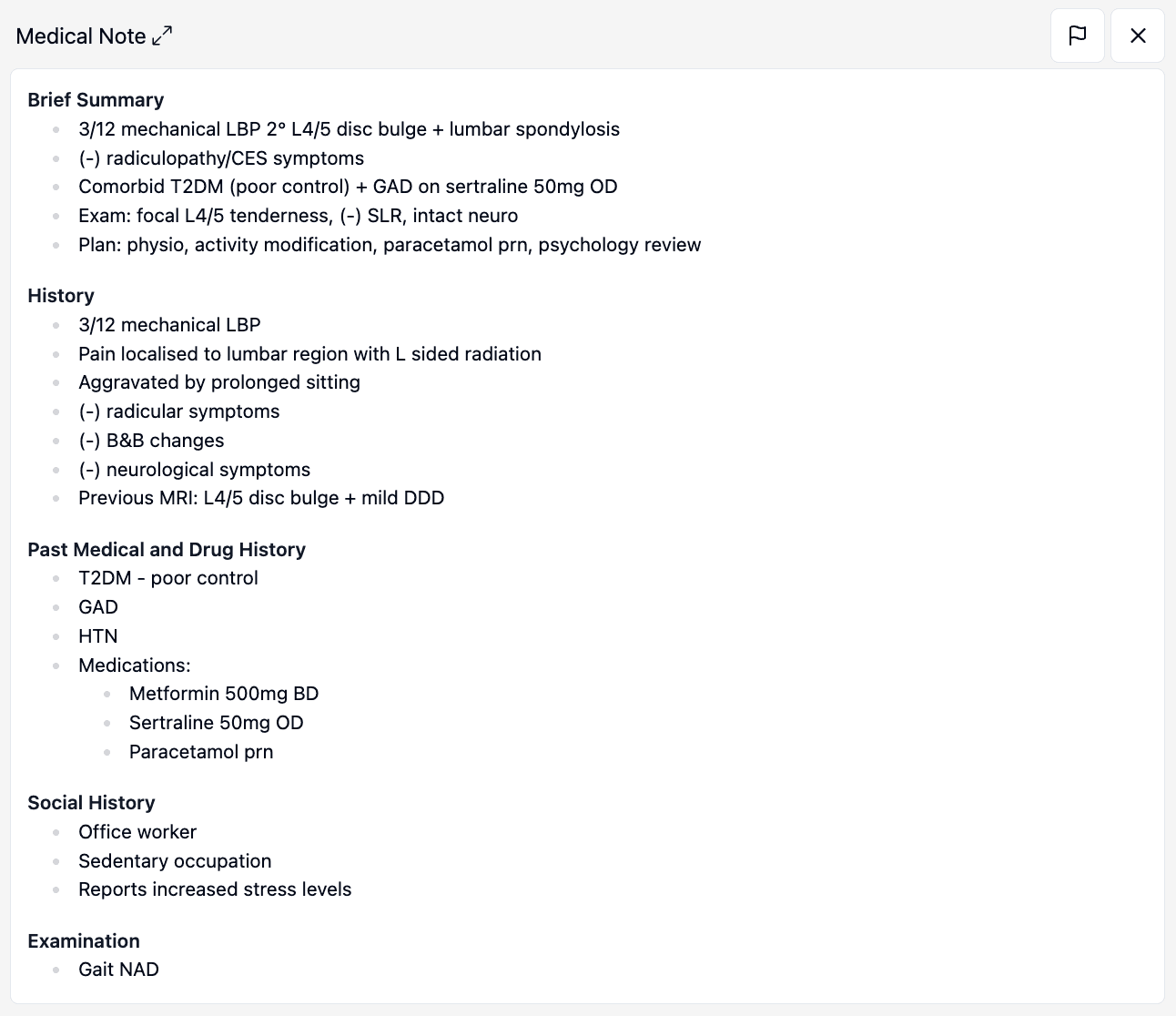
The physician found this Medical Note format didn't work for every patient. Some needed an "MBS 132 - Initial Patient Assessment". They gave i-scribe a couple of fictitious, ideal example letters, along with some notes on how the document should be structured.
A new output was created for them. For the same patient above, it now looked like this:
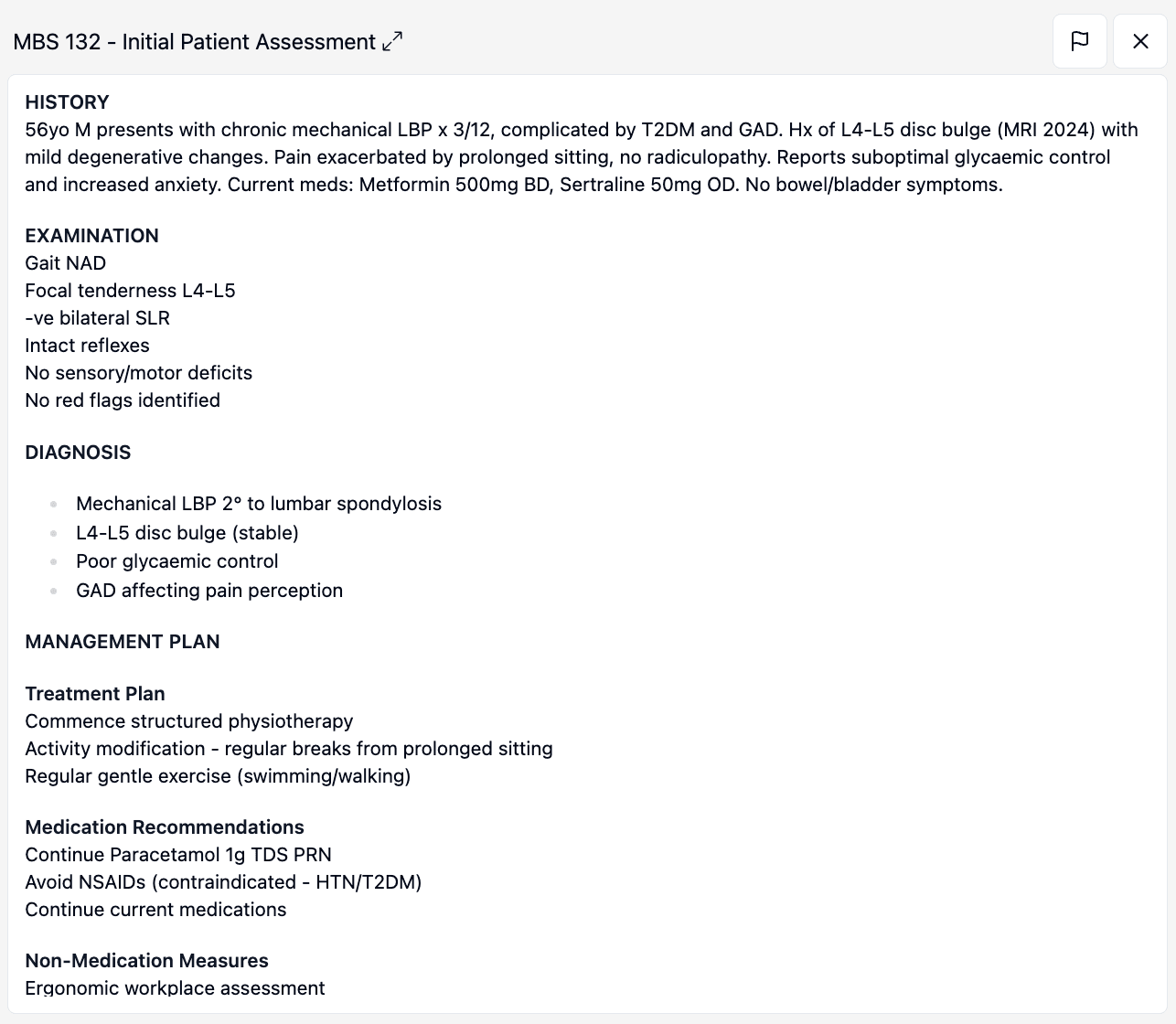
If you have any questions about customising your outputs, let us know. The best place to start is usually 2-3 fictitious, ideal example letters. From there, we can build something personalised to you.
Was this guide helpful?