How to install i-scribe on your mobile device
Tap the square icon with an upward arrow (the Share button) at the bottom of the screen.
Downloading and setting up i-scribe on your mobile device is quick and straightforward. Follow the steps below for your respective device. Screenshots are provided for additional guidance.
For Apple Devices (Google Chrome):
1. Visit the i-scribe website:
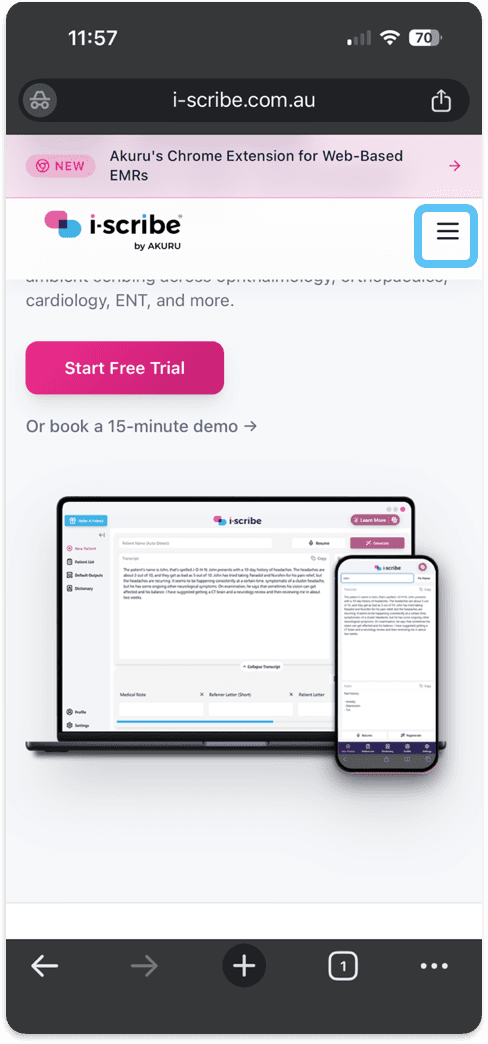
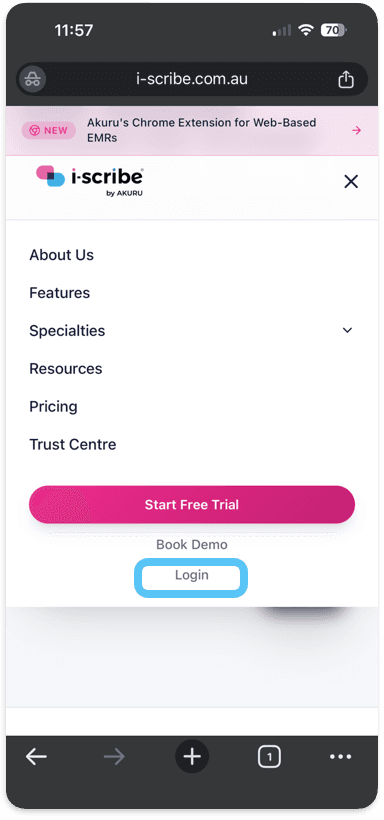
- Open Chrome and navigate to the i-scribe website, or click here to access the site directly.
- Log in to your account. by selecting the 3 horizontal lines.
2. Access the Sharing Menu:
Tap the square icon with an upward arrow (the Share button) at the bottom of the screen.
. Add i-scribe to Your Home Screen:
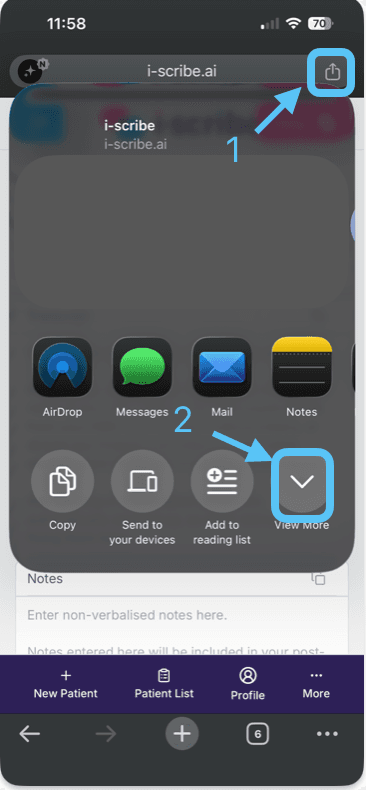
- Depending on the software version you're using, you may have to click "View More" on the bottom right to see the options below.
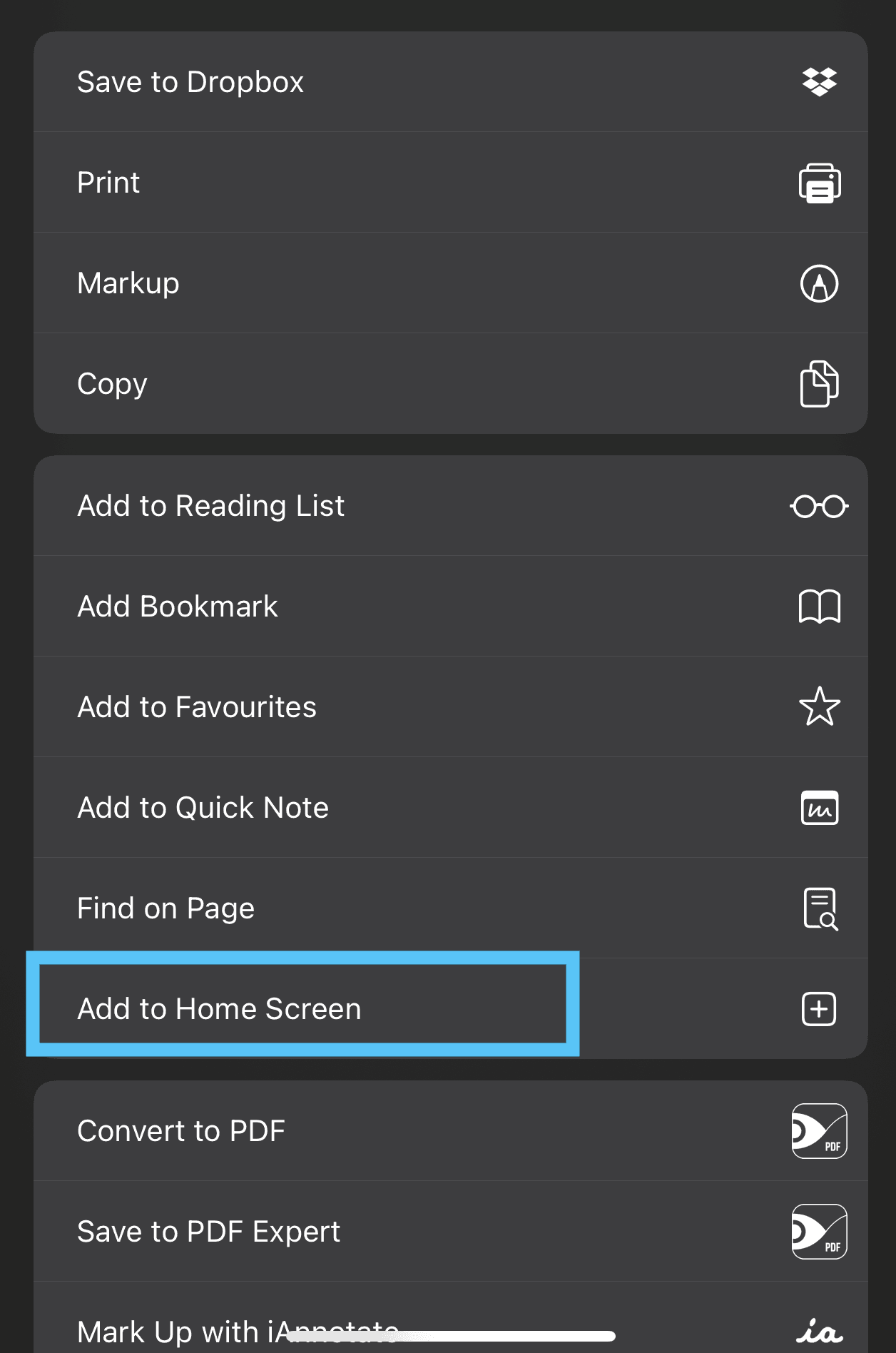
- Scroll through the options and select "Add to Home Screen."
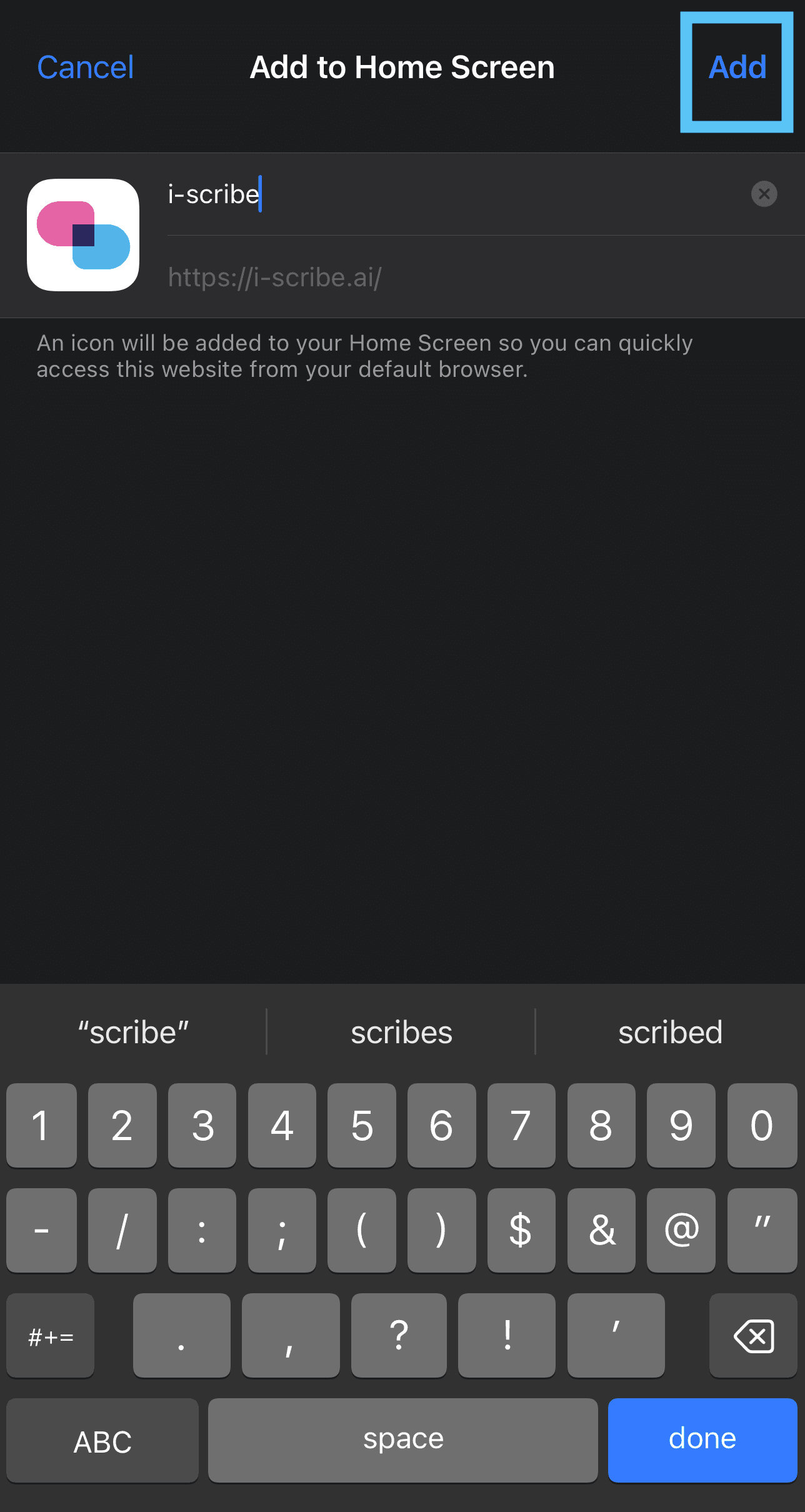
4. Confirm Addition:
Tap "Add" in the top-right corner to finalise the process.
5. Optional: You can link the i-scribe shortcut to Action button.
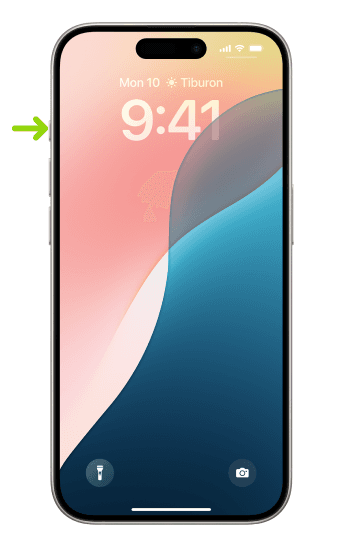
- The Action button is present in newer iPhones models (iPhone 15 Pro, iPhone 15 Pro Max, all iPhone 16 models)
- Note: this will remove the "silence" function of the Action button.
- How to customise the Action button
Accessing i-scribe:
- After completing the steps above, navigate to your device’s Home screen.
- Go to your device's Home screen and tap the i-scribe shortcut, which will operate just like a mobile app.

Enjoy using i-scribe on your mobile device!
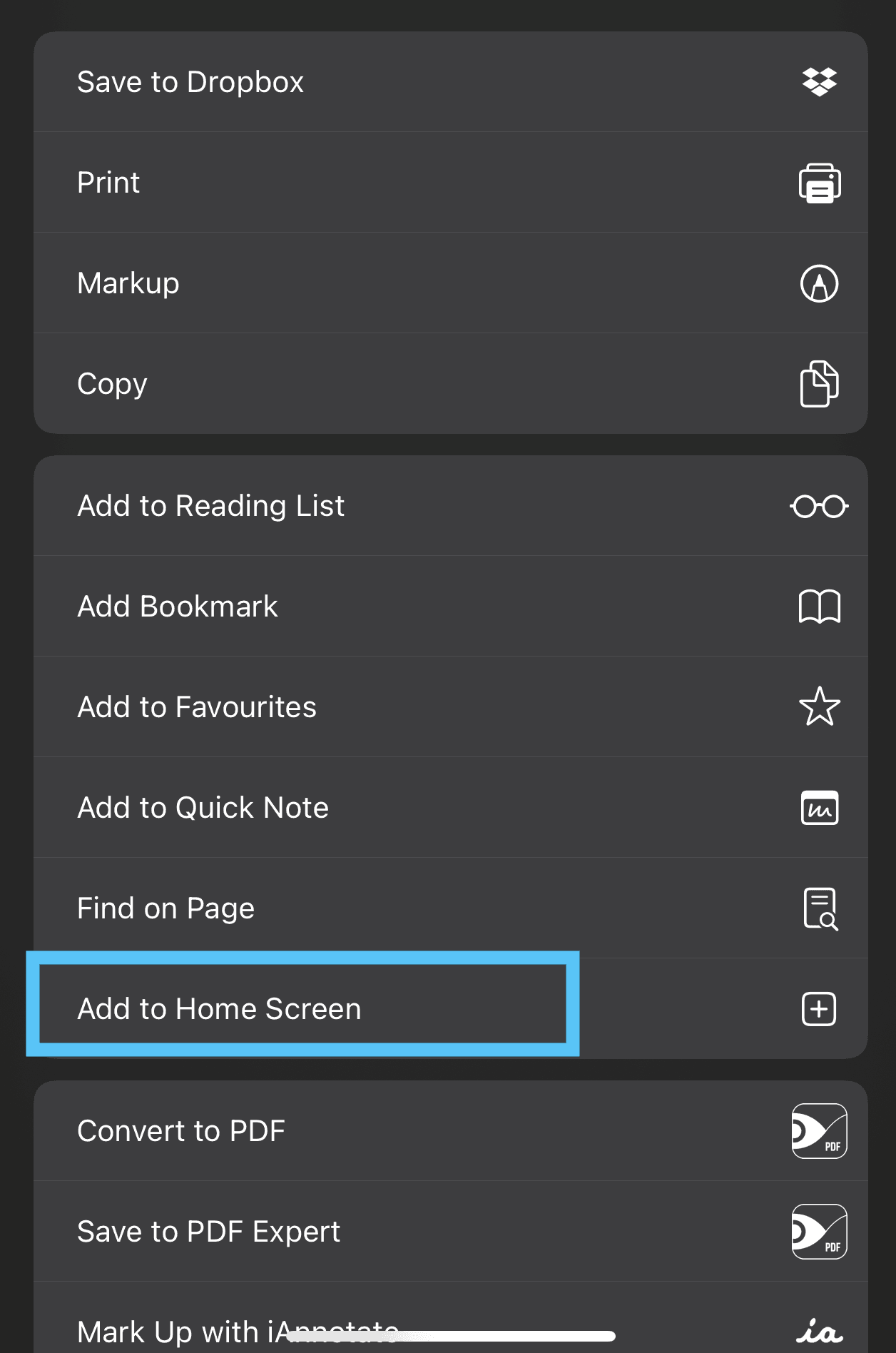
3. Add i-scribe to Your Home Screen:
- Depending on the software version you're using, you may have to click "View More" on the bottom right to see the options below.
- Scroll through the options and select "Add to Home Screen."
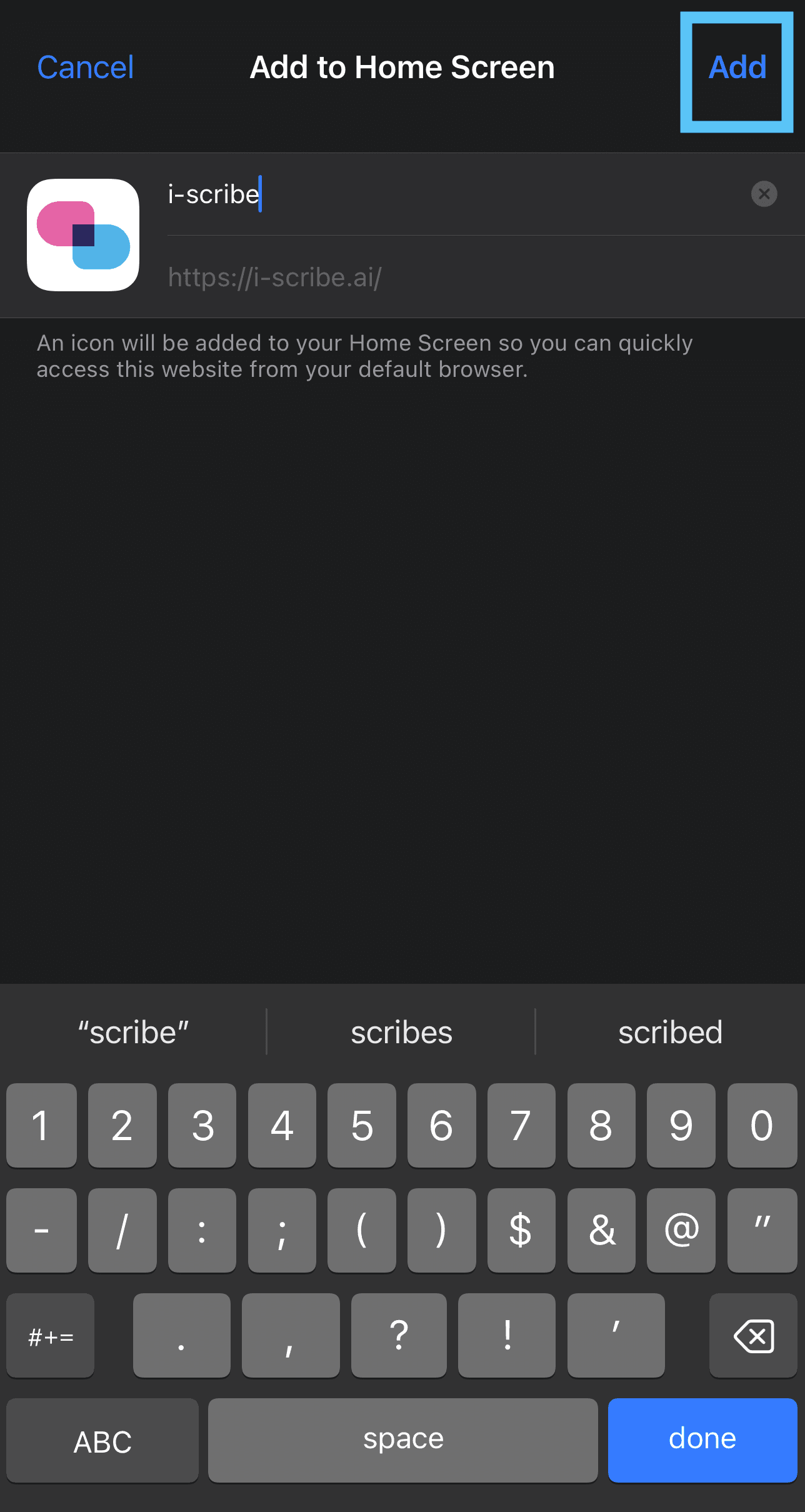
4. Confirm Addition:
Tap "Add" in the top-right corner to finalise the process.
5. Optional: You can link the i-scribe shortcut to Action button.
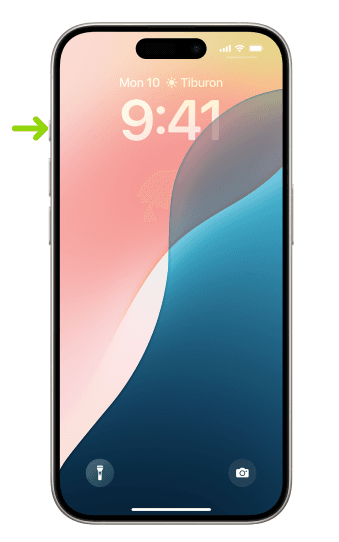
- The Action button is present in newer iPhones models (iPhone 15 Pro, iPhone 15 Pro Max, all iPhone 16 models)
- Note: this will remove the "silence" function of the Action button.
- How to customise the Action button
For Android Devices (Google Chrome Recommended):
1. Visit the i-scribe Website:
Open your preferred browser and navigate to the i-scribe website. Log in if required.
2. Open Browser Menu:
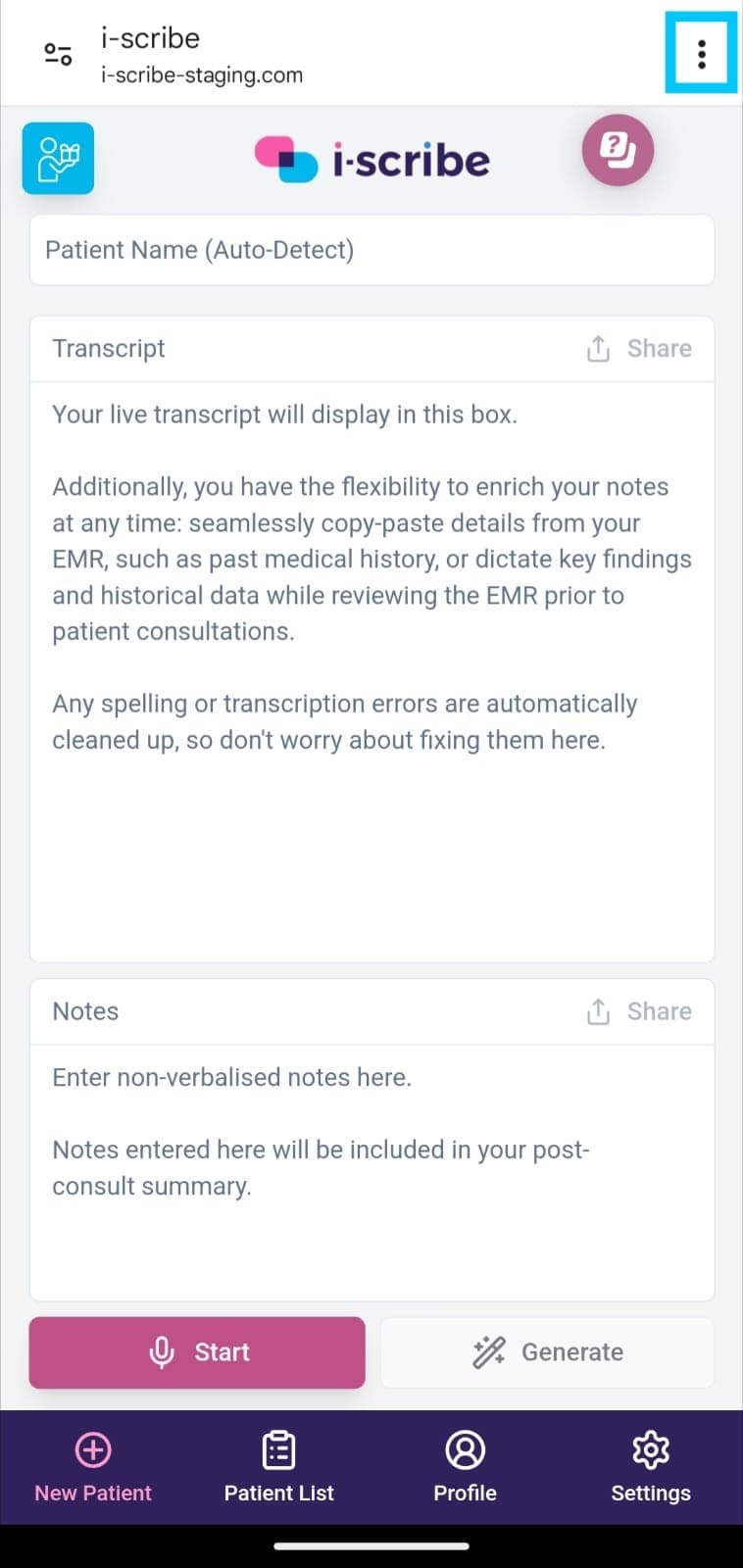
For Google Chrome, tap the three vertical dots in the top-right corner of your browser.
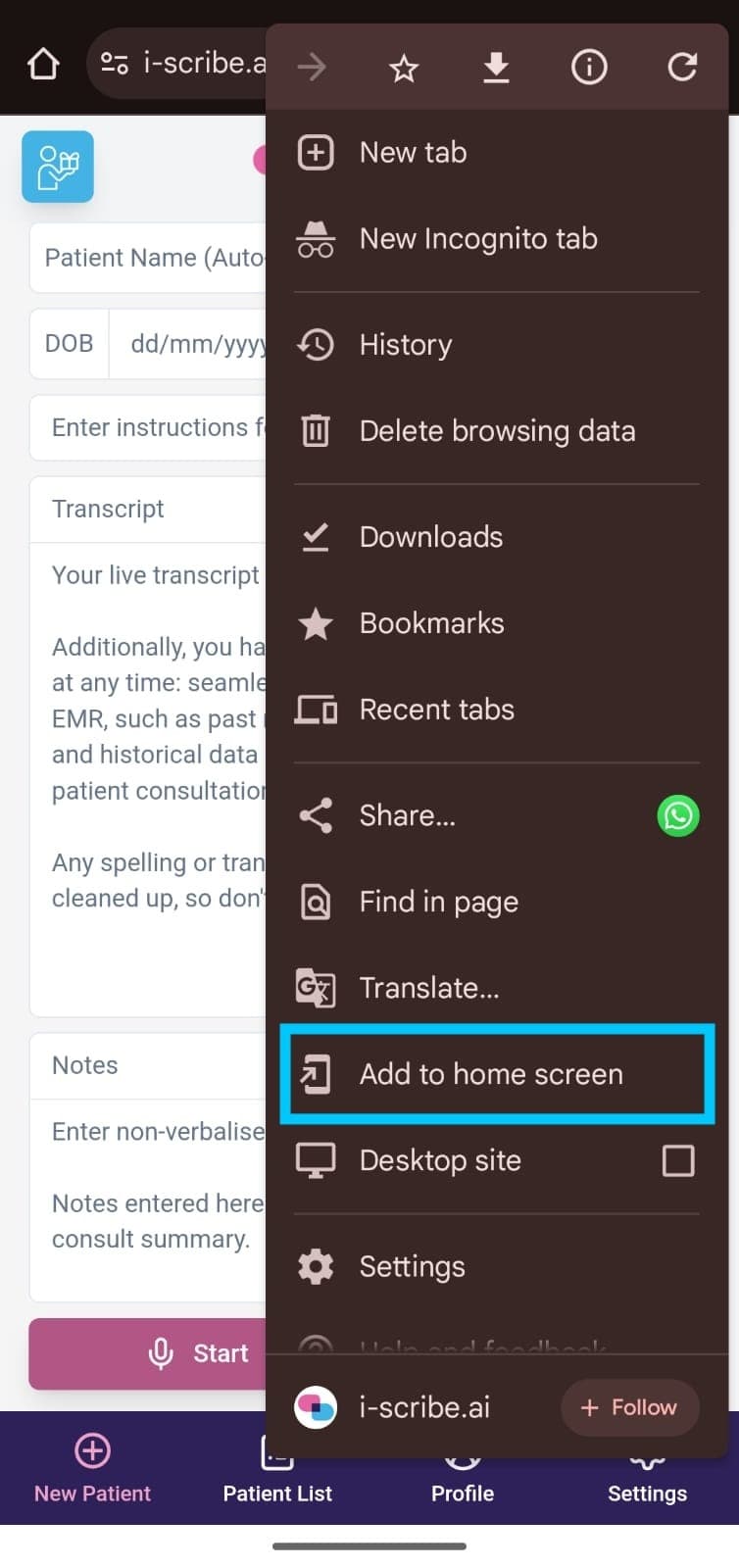
3. Add i-scribe to your home screen.
Select Add to Home Screen from the menu options.
Accessing i-scribe:
- After completing the steps above, navigate to your device’s Home screen.
- Go to your device's Home screen and tap the i-scribe shortcut, which will operate just like a mobile app.

Enjoy using i-scribe on your mobile device!
Was this guide helpful?