What the episode statuses mean
What do the i-consult episode statuses mean? Pending, Completed, Declined, and Under Review explained, plus the episode status stepper on the dashboard.
Every patient episode on the i-consult Dashboard shows a Status. There are four labels, and this page explains exactly what each one means. You can also filter the episode list by status using the status filter (All Statuses / Pending / Completed / Declined / Under Review).
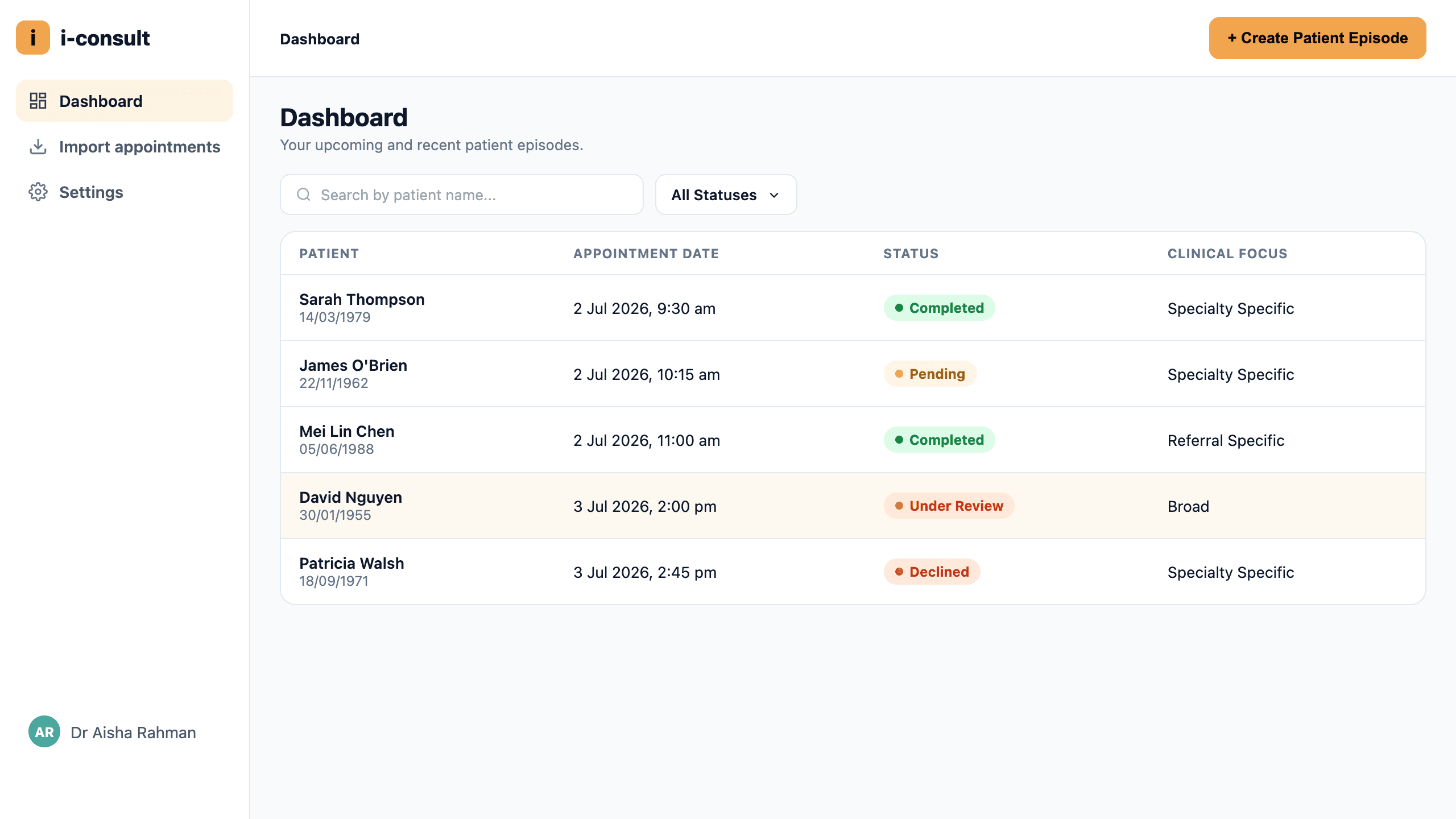
The four statuses
Pending
The episode is active and in progress. The link has been (or will be) sent, and the patient hasn't finished the questionnaire yet. This is the normal state for an upcoming appointment, and there's nothing to fix.
Completed
The patient has finished the questionnaire and a structured medical history has been generated. This is the state you want before the consult: the history is ready to review.
Declined
The patient chose not to do the questionnaire (they selected Decline rather than continuing). The appointment still goes ahead; you'll take the history during the consult as usual. There's no error here; the patient simply opted out.
Under Review
The episode has been flagged for a person to look at before it's treated as complete. A response in the questionnaire was flagged for the clinician to review. This is not emergency triage and not clinical advice; it's a prompt to check something. The clinician remains responsible for reviewing and confirming the history.
Under Review means a response was flagged for a human to check. It does not diagnose, triage, or give clinical advice. You, the clinician, stay responsible for reviewing and confirming the patient's history.
The status stepper (inside an episode)
The Status column gives you the headline. Open an individual episode and you'll also see a stepper that tracks the detailed journey, in order:
Created → SMS Scheduled → SMS Sent → Chat Started → Chat Completed → History Generated
This is useful when an episode is Pending and you want to know where the patient is up to. For example, whether the SMS has actually gone out yet (SMS Scheduled vs SMS Sent), or whether they've started but not finished the chat (Chat Started without Chat Completed).
For a full walkthrough of the dashboard, the episode list, filters, and search, see A tour of the i-consult dashboard.
Using the status to troubleshoot
- An episode stuck on Pending with no SMS activity: check My patient didn't get the SMS.
- An episode is Completed but the history isn't in i-scribe: see The history isn't showing in i-scribe.
- You expected a history in your EMR but it's not there: see The history didn't save to Gentu / Genie.
Was this guide helpful?