How to correct an incorrect gender pronoun
Fix outputs that say "they", "the patient", or the wrong he/she using the Adjustor Tool, and stop it happening in future consults.
If a generated output refers to your patient as "they", "the patient", or the wrong he/she, you can fix it in a few seconds with the Adjustor Tool. You don't need to manually change every pronoun.
The Adjustor box only appears after you've generated a document. Finish the consult and click Generate first, then the box appears beneath the output.
Fix it with the Adjustor Tool
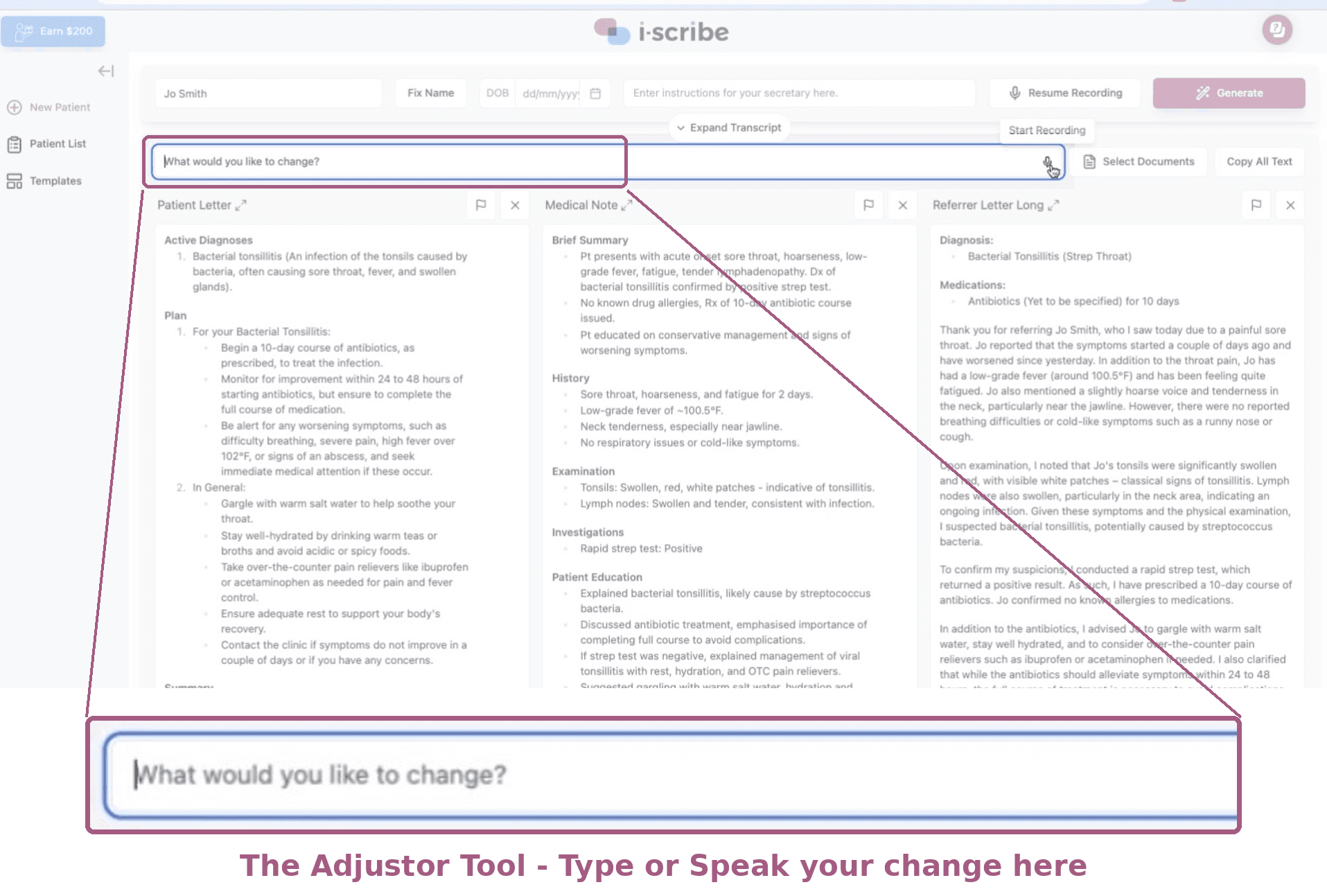
Generate your output as normal.
In the Adjustor box beneath the output, type or speak your instruction, for example: "The patient is female, use she/her throughout."
Click to apply. i-scribe rewrites the output with the correct pronouns in place.
Read the revised output before it goes into the record. If something else has shifted, use the undo button to return to the previous version.
Because outputs can't reference each other, each one is adjusted separately. If you've generated a medical note and a referral letter, run the same instruction on both. If a change doesn't land the way you wanted, see How to undo changes in i-scribe.
Stop it happening next time
The system tends to fall back on "the patient" or "they/them" when it isn't certain of the patient's gender. Telling it up front usually resolves it:
- Open the transcript with a line such as "Patient is Sarah, she is here for review of her cataract surgery." Some clinicians say this before the patient comes in; others type it into the transcript box before clicking Start.
- If the patient's name is also coming out wrong, that can be a dictionary issue rather than a transcription one. See How to use the Dictionary and Why is Fix Name not working?.
Pronouns are part of the clinical record. Check the corrected output reads accurately before you sign off or transfer it, particularly where a patient's pronouns differ from what might be assumed from their name.
Can I set a default pronoun for a patient I see regularly?
Not currently. Each consult is generated from that consult's transcript alone, so state the pronouns at the start each time.
The Adjustor changed the pronouns but altered other wording too.
Use the undo button to revert, then re-run with a narrower instruction, for example: "Only change the pronouns to she/her. Leave all other wording unchanged."
Related
- Why does it say "the patient" or "they/them"?
- How to make changes to documents using the smart adjustor tool
- How to undo changes in i-scribe
- How to use the Dictionary
If you need any help, reach out to our support team at support@akuru.com.au.
Was this guide helpful?